 gmCharts
Nero AI Image Upscaler Pro
About game
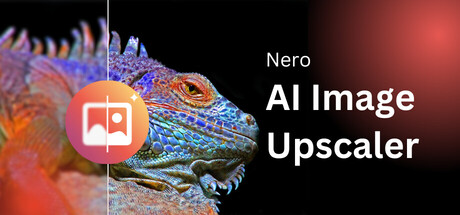
Nero AI Image Upscaler is an AI-powered image enhancement tool developed by Nero Software that automatically improves and enlarges images in just a few seconds.
With the upgraded AI engine, Nero AI Image Upscaler helps you upscale photos, sharpen details, unblur images, restore old pictures, reduce noise, remove artifacts, and improve overall image quality with just a few clicks.
★ 8x upscaling with optimized quality:
You can enlarge images by up to 800%. A 4K image can be enlarged up to 32K resolution, while preserving texture, edges, and natural details. It is ideal for printing, posters, banners, design assets, and high-resolution workflows.
★ Ultra large output support — up to 1024 MP (1.024 billion pixels):
Nero AI Image Upscaler supports output images up to 1024 megapixels, making it easier to work with large canvas artwork, commercial print assets, AI-generated images, and professional creative projects.
★ New AI models: Sharpen & Unblur:
Sharpen improves soft images by enhancing edge definition, texture visibility, fine-detail contrast, and overall clarity.
Unblur helps recover blurry images caused by motion blur, camera shake, focus issues, or compression artifacts, while keeping results natural and readable.
★ Larger batch processing:
You can now process up to 100 images in a single batch, compared with 20 images in previous versions. Save time, reduce repetitive steps, and complete large image enhancement tasks more efficiently.
★ Obtain results with a few clicks:
Choose a preset resize rate, target width, or target height, then let AI handle the rest. Upscale, sharpen, unblur, and enhance images quickly for printing, product photos, social media, and creative projects.
★ Handle noise, blur, and artifacts:
Images shared online are often compressed, noisy, or blurry. Nero AI Image Upscaler helps reduce camera noise, JPEG compression artifacts, blur, and softness, making images clearer and more detailed.
★ Provide more accurate details:
Edges, contours, patterns, textures, and fine details are reconstructed with improved AI models. Enlarge small images, improve product photos, restore old memories, enhance screenshots, and create high-resolution assets with better detail presentation.
#Main Features
• Upscale images up to 8x
• Enlarge 4K images up to 32K resolution
• Support ultra large output up to 1024 MP (1.024 billion pixels)
• Sharpen soft images
• Unblur blurry photos
• Enhance photo quality
• Reduce noise and compression artifacts
• Restore old photos
• Enlarge images without losing details
• Batch process up to 100 images
• Support JPG/PNG/JPEG/BMP/WEBP
Warning:
Some advanced AI models may require Nero GPU cloud processing. A Nero Account and Nero Credits may be required before you can use certain cloud-based features.
#Why Nero AI Image Upscaler is So Popular?
• Designers can improve image quality, enlarge design assets, and prepare high-resolution visuals for creative projects.
• Photographers and content creators can sharpen soft photos, unblur imperfect shots, reduce noise, and enhance details without complicated manual editing.
• E-commerce sellers can make product images clearer and more professional, helping textures, edges, and details stand out.
• Students can make blurry notes, screenshots, and classroom photos clearer and easier to read.
• Office workers can enhance low-quality screenshots, presentation images, scanned files, and shared pictures to recover important details.
• Photo collectors and meme makers can restore old images, enlarge small pictures, and create clearer versions for saving and sharing.
• Power users and creative teams can process up to 100 images in one batch, making albums, content libraries, and large creative projects easier to handle.
Privacy Notice:
Nero AI Image Upscaler supports local and cloud-based AI processing depending on the selected feature. Local processing keeps images on your device, while certain advanced cloud models may require uploading images for AI processing.
Player Activity
Monthly stats
| Month | Avg players | Growth | Growth % | Peak |
|---|---|---|---|---|
About Nero AI Image Upscaler Pro stats
gmCharts tracks Nero AI Image Upscaler Pro Steam player activity, including current players, 24-hour peak, 30-day peak, and recent player trends.