 gmCharts
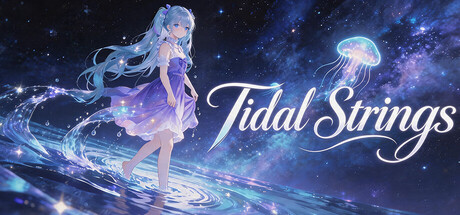
Tidal Strings
About game
1. Track Unlock Rules
The game has three music categories, all tracks are completely free. Unlock rules are as follows:
1. Each category starts with one track unlocked. Completing unlocked tracks earns tokens, which can be spent to unlock any track you choose;
2. Hard and Chaos difficulties require no tokens – they unlock progressively when the required score on the previous difficulty is reached.
2. Customization Features
1. In the Workshop levels, you can customize audio, wallpaper, and note charts.
3. Dynamic Wallpaper Feature
1. Turn on Wallpaper Mode to set the game’s dynamic background directly as your desktop’s live wallpaper;
2. Supports switching between game and wallpaper mode. After setting as desktop wallpaper, right-click the tray icon to return to the game;
3. Check “Auto-enter wallpaper mode” in settings – each time you open the game, it will automatically enter wallpaper mode, and you can switch back to the game interface anytime via the tray icon.
Special Notes
1. The default note generation method differs from traditional rhythm games’ score-reading generation: notes are randomly generated, and each time you enter a level, the timing of note generation is completely different;
2. The game supports custom charts. When creating a song, you can choose to use a musical score and create a corresponding chart, or import a CSV/TXT file to create a chart;
Player Activity
Monthly stats
| Month | Avg players | Growth | Growth % | Peak |
|---|
About Tidal Strings stats
gmCharts tracks Tidal Strings Steam player activity, including current players, 24-hour peak, 30-day peak, and recent player trends.