Translate Lens

Translate Lens
Current players
2
24h peak
2
30 day peak
2
Release date
02/10/2026

About game

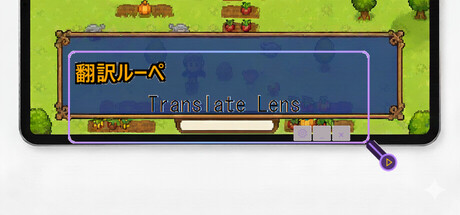
Translation Lens is a real-time screen translation overlay for Windows. Place the window over any text on your screen and get instant translations — perfect for gaming, reading, and more.

FEATURES:

• Instant OCR text detection from any screen area

• 5 translation engines: Gemini, OpenAI, DeepL, Ollama (local LLM), and cloud default

• 18 languages supported: English, Japanese, Chinese (Simplified & Traditional), Korean, French, German, Spanish, Italian, Czech, Polish, Portuguese, Russian, Turkish, Vietnamese, Thai, Indonesian, Romanian

• High Precision Mode — sends screenshots directly to AI for better accuracy

• BYOK (Bring Your Own Key) — use your own API keys for Gemini, OpenAI, or DeepL

• Local LLM support via Ollama — translate completely offline with no API costs

• Global hotkey with gamepad support — trigger translation from any app

• Transparent overlay — see translations while gaming

• Separate result window — display translations in a dedicated window

• Customizable appearance — fonts, colors, opacity, borders

• Local OCR processing — fast and private, no internet needed for text detection

• Two-tier translation cache — reduces API costs by 50-70%

HOW IT WORKS:

1. Position the Translation Lens window over text you want to translate

2. Press your hotkey, click the button, or enable auto-translate mode

3. See instant translation results in the overlay or a separate window

PERFECT FOR:

• Playing untranslated Japanese, Chinese, or Korean games

• Reading foreign language content on screen

• Enjoying indie games from around the world

• Any text on your screen in 18 supported languages

TRANSLATION ENGINES:

• Default (Cloud) — ready to use, pay-per-translation with credits

• Gemini / OpenAI / DeepL (BYOK) — bring your own API key for unlimited use

• Ollama (Local) — completely free, offline translation using local AI models

FREE TRIAL:

Start with 20 free translations. Purchase translation packs when you need more, or unlock BYOK mode to use your own API keys.

Note: This app uses Windows built-in OCR for text recognition. To recognize text in your source language, you may need to install the corresponding language pack in Windows Settings > Time & Language > Language & Region.

Player Activity

Monthly stats

MonthAvg playersGrowthGrowth %Peak

About Translate Lens stats

gmCharts tracks Translate Lens Steam player activity, including current players, 24-hour peak, 30-day peak, recent trends, and aggregated Steam review data. Use this page to quickly compare player interest and review sentiment over time.

Steam reviews: Mixed, 60% positive from 15 reviews.