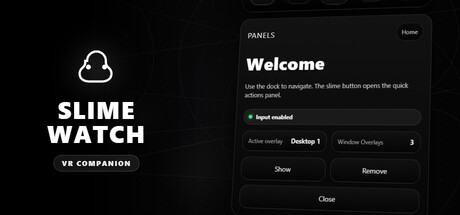
SLIME WATCH
About game
SLIME WATCH is an advanced overlay utility for [ SteamVR (OpenVR) ] that bridges your PC and your VR space.
View and control your windows, desktop, and tools directly in VR — without removing your headset.
WHAT CAN YOU DO?
- Space Drag: Grab the world and move your playspace effortlessly.
- Create Overlays: Spawn windows or desktop views anywhere in your VR space.
- Clock Mode: Keep track of time and performance with a stylish wristwatch.
- And much more: Explore a variety of tools designed to improve your VR experience.
USE CASES
In-game multitasking: Discord, Twitch, guides, YouTube, chat, dashboards — always visible in VR.
VR productivity: create a VR workspace for development, modding, and monitoring.
Streaming: monitor OBS and streaming tools without breaking immersion.
KEY FEATURES
Desktop and window overlays: capture a screen or a specific window, duplicate it, crop it, adjust opacity/brightness, and lock it in place.
Flexible placement: attach overlays to the world, the headset (HMD), the controllers, or the SteamVR dashboard space.
VR interaction: pointer/laser, click, scroll, drag and drop, and configurable actions.
VR keyboard: type in VR with configurable and editable layouts.
Profiles: save/load configurations and app-specific profiles with automatic activation by VR title.
Performance monitor: real-time FPS, CPU, GPU, RAM, and VRAM.
INTERFACE & MENUS
Wrist menu (left controller): the main control center on the controller for adding, managing, and configuring overlays.
Overlay context menu: quick actions for each overlay, including move, resize, and actions.
Settings: global options, profiles, actions/shortcuts, keyboard, and interactions.
Non-intrusive: stays usable without getting in the way of your VR experience.
Fast workflow: create, place, lock, and duplicate overlays in seconds.
Customizable: actions, profiles, and rendering options (opacity, curvature, cropping) tailored to your setup.
PERFORMANCE & PHILOSOPHY
Lightweight and stable: built on the appropriate Windows APIs (DXGI / Windows Graphics Capture).
Optimizations: rendering stops when an overlay is hidden; shared textures are used when cloning the same source.
Control: configurable FPS limiter to reduce GPU load.
Player Activity
Monthly stats
| Month | Avg players | Growth | Growth % | Peak |
|---|---|---|---|---|
About SLIME WATCH stats
gmCharts tracks SLIME WATCH Steam player activity, including current players, 24-hour peak, 30-day peak, and recent player trends.
gmCharts